Digital advertising
How much Google Ads costs: spend, management fees and a realistic budget
How much Google Ads costs: what you pay Google, what an agency charges to manage it and what budget you need for it to pay off.

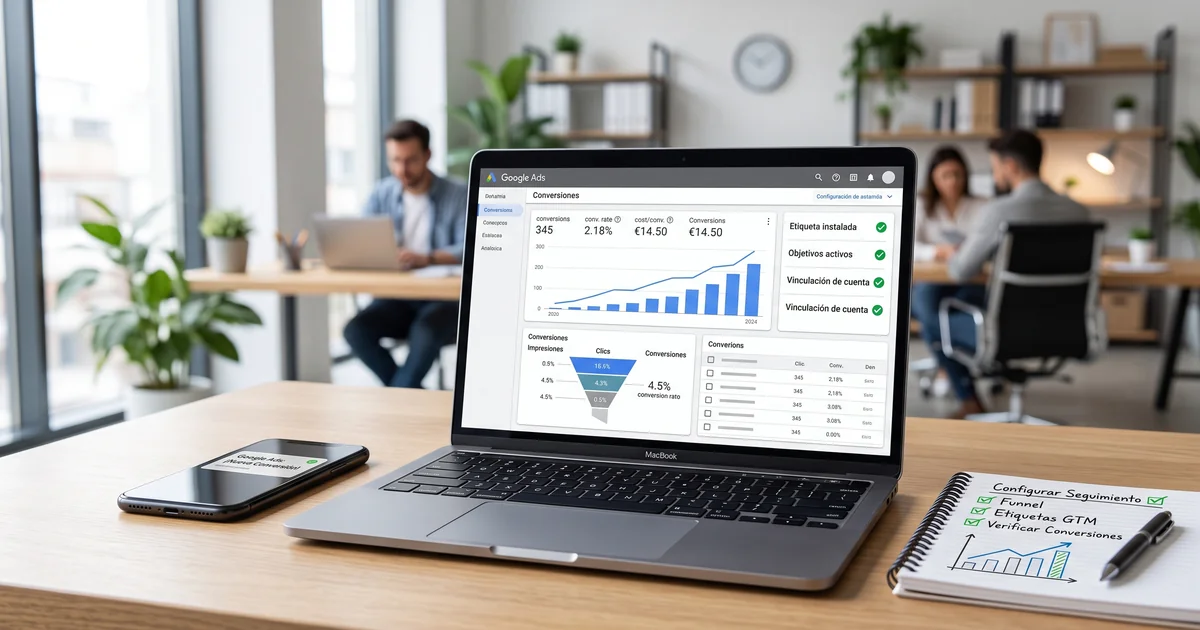
Setting up conversion tracking in Google Ads means installing a tag on your website that tells Google every time a user completes a valuable action, such as a purchase, a form or a phone call. Without it you don’t know which campaign sells and you optimise blind. In this guide we explain the process step by step, and how it fits with the new AI-powered search and Google’s AI Overviews. We are Google Ads specialists in Barcelona and, if you prefer, we’ll leave it set up and verified for you.
Conversion tracking is the system that lets Google Ads know what happens on your website after someone clicks your ad. A conversion is any action you consider valuable: a purchase, a form submission, a call, a WhatsApp message or a booking.
Without this tracking, Google Ads only tells you how many clicks you got and how much you spent, but not how many sales or customers they brought. It’s like driving with your eyes closed: you spend money without knowing what works.
There is also a strong technical reason. Google’s automated bidding strategies, which are the best performers today, need conversion data to learn and optimise. If you don’t measure, the system can’t improve your campaigns. That’s why setting up tracking properly isn’t an extra: it’s the foundation everything else in a profitable account rests on.
Before touching anything, you should be clear on what you want to measure, because not every business is after the same thing. These are the most common conversions:
In an ecommerce the norm is to measure the purchase and assign it a value, while in a service business what matters is measuring leads: forms and calls. Defining clearly what counts as a conversion for you is the first step, because the whole setup and the decisions you make about your budget depend on it.
There are three ways to install conversion tracking, and it’s worth knowing them to pick the one that fits your case best:
For most businesses, Google Tag Manager is the best option, because it centralises all the tags and saves you from editing the website every time something changes. In this guide we focus on that method, the one most used by professionals.
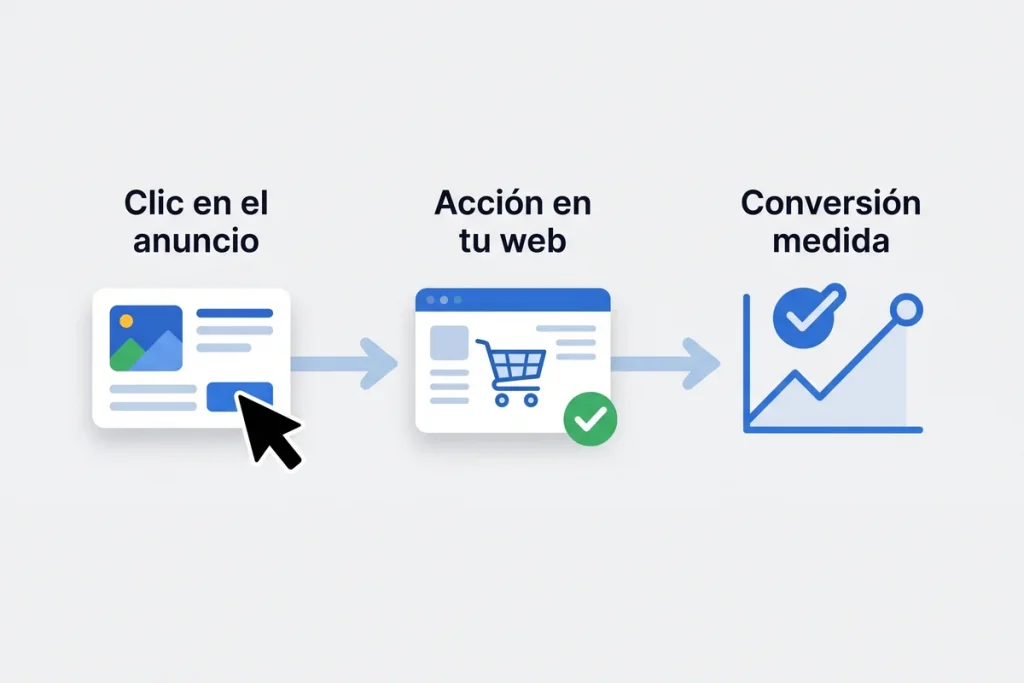
This is the full process to get a conversion measured in Google Ads. Although every account has its nuances, the steps are always these:
If you follow these steps calmly, you’ll have tracking up and running. The part that gets stuck most is usually the trigger, because you have to decide precisely which action counts as a conversion.
With Google Tag Manager the tracking is built with two tags that work together. It’s important to do it in this order:
Once both are created, you publish them in Tag Manager and they’re active. The advantage of this method is that, from then on, any change or new conversion is handled from the GTM panel without touching the website code again. That said, it requires a good grasp of how triggers and variables work, which is where most people get lost.
Enhanced conversions are a highly recommended extra layer nowadays. They let you keep measuring accurately even when the user doesn’t accept cookies or switches device, which is increasingly common.
They work by sending Google customer contact data (such as the email or phone) in a hashed and secure way, so it can recognise the conversion even if the cookie is lost. This improves attribution and, above all, feeds the automated bidding better.
Their main benefits are more accurate measurement, better cross-device attribution and more effective campaign optimisation. Turning them on requires some extra technical setup, but in accounts that invest seriously they make a real difference to results. It’s one of those details that separate a basic setup from a professional one.
Setting up tracking has its tricks, and there are very common mistakes that make the data unreliable. These are the ones we see most:
A small mistake here can throw off your figures noticeably and lead you to the wrong budget decisions. That’s why, after setting up tracking, it’s essential to audit and review it every so often.
Installing the tag isn’t enough: you have to check it records conversions properly before trusting the data. These are the ways to verify it:
Spending a few minutes on this check saves you weeks of useless data. It’s the step people skip most and the one that avoids the most headaches, because badly checked tracking may be counting wrong from day one without you noticing.
You can learn to set up conversion tracking, but it’s the part of Google Ads where most things go wrong. Between the ID, the tag, the triggers, GTM, enhanced conversions and the checking, there are many points where a small mistake leaves the data useless.
And the problem is that, if you measure wrong, everything else fails: automated bidding learns from bad data, you don’t know which campaign is profitable and you make wrong decisions about how much Google Ads costs in your case and where to invest. Badly set-up tracking can cost you far more than setting it up right.
That’s why, for many businesses, the most cost-effective thing is to have a professional leave it installed, measured and verified from the start. That way you start from a solid base and focus on your business, not on fighting with tags and triggers.
We regularly handle the conversion tracking of companies and freelancers in Barcelona and across Catalonia, both online stores and service businesses that win clients through forms or calls.
Every business needs to measure different things: a clinic will want to measure appointment requests, a store its sales, and a firm its contact forms. We tailor the setup to what really matters in your case, and we make sure the data is reliable before taking anything as good.
If you have a business in Barcelona and you’re investing in Google Ads without a clear idea of which campaigns bring you clients, the problem is almost always in the measurement. Reviewing and properly setting up conversion tracking is usually the change that improves an account’s profitability fastest, because from then on every euro is invested with judgement.
Practical summary to get your conversion tracking in good shape:
Measuring well is what turns Google Ads into a profitable investment instead of blind spending. If you want to make sure your tracking is set up right, or you’d rather we did it for you without the hassle, at JRC Web we can help.
Conversion tracking is the most technical and the most error-prone part of Google Ads. If you don’t want the hassle, we install it, measure it and verify it for you.
A conversion is a valuable action a user takes after clicking your ad: a purchase, a form submission, a call, a WhatsApp message or a booking. Tracking it lets you know which campaigns generate real results, not just clicks, and optimise accordingly.
It’s not mandatory, but it’s the most advisable option. You can install the tag directly in the website code, but with Google Tag Manager you manage all your tags from one panel, without touching the site each time, and it’ll be much easier to add or change conversions in the future.
It’s usually down to setup errors: duplicate tags counting twice, test conversions not excluded, or differences in the attribution windows between Google Ads and Analytics. If the data doesn’t add up, it’s worth auditing the tracking to find and fix the fault.
Yes. Google Ads lets you measure purchases, forms, phone calls, WhatsApp clicks, bookings and more. In service businesses the norm is to measure leads (forms and calls), while online stores measure the purchase with its value. Each conversion type is set up separately.
Not directly. AI Overviews are the AI-generated summary Google shows in the results and they don’t depend on your Google Ads setup. They are different things: conversion tracking measures the performance of your paid ads, while appearing in AI Overviews or in assistants like ChatGPT depends on working your website and content well.
Setting up conversion tracking properly is what separates a Google Ads account that spends from one that invests. With the right measurement you know what works, optimise with judgement and make every euro pay off. If you want to get it set up right from the start or review the one you already have, at JRC Web we set it up and verify it for you so you measure with total confidence.
How useful did you find this content?
Click a star to rate it!
Average rating!0/ 5. Vote count0
No votes yet! Be the first to rate this post.
How much Google Ads costs: what you pay Google, what an agency charges to manage it and what budget you need for it to pay off.

Web design for freelancers in Barcelona: which pages you need, what it costs and how to get a professional, affordable website that wins clients.

What AI search optimisation (GEO) is and how to get ChatGPT, Gemini and Perplexity to recommend your company in Barcelona.