Digital advertising
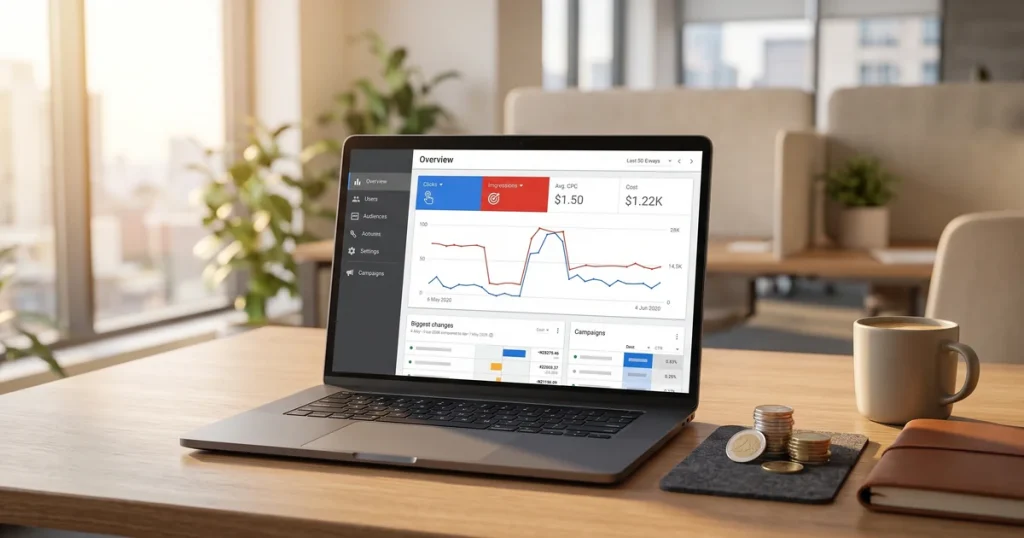
How much Google Ads costs: spend, management fees and a realistic budget
How much Google Ads costs: what you pay Google, what an agency charges to manage it and what budget you need for it to pay off.


Searched for your site on Google and found nothing? Don’t worry, you are not alone. It is one of the most frustrating problems for any website owner, but it can be fixed.
If your site does not appear in Google, it will not appear in Google’s AI Overviews either, since those only draw on properly indexed sites with quality content. Fixing these problems is the first step to being visible in any search format.
In this guide we explain the most common causes of a website not appearing in Google and, more importantly, how to fix it step by step. From our SEO agency in Barcelona, where we have spent more than two decades solving this kind of problem.
When a site does not appear in Google’s results, it can be down to several factors. Some are technical, others relate to the content, and sometimes it is simply a matter of time.
The most common reasons include indexing problems, blocks in the robots.txt file, noindex tags switched on by mistake, Google penalties, or simply that your site is too new for the search engine to have discovered it.
The first thing to do is identify which of these is affecting your site. Below we explain how to diagnose each one and what to do about it.
Before panicking, check whether your site is genuinely missing from Google or simply not appearing in the top positions. There is an important difference between the two.
Method 1: the site: search
Type into Google: site:yourdomain.com. If results appear, your site is indexed. If nothing appears, Google does not know your site or has deindexed it.
Method 2: Google Search Console
If you have access to Google Search Console, go to “Coverage” or “Pages” and see how many URLs Google has indexed. That is also where you will see the errors preventing indexing.
Method 3: search for your brand
Search for your company’s exact name or domain. If you do not appear even for your own brand, you have a serious visibility problem to solve straight away.
If you have just launched your site, it is normal for it not to appear in Google immediately. The search engine needs time to discover, crawl and index it.
Google does not crawl the internet instantly. Its robots discover pages through links from other sites or by you submitting your sitemap directly.
What can you do?
Register your site in Google Search Console and submit your sitemap.xml. That speeds up discovery. You can also use “Request indexing” to ask Google to crawl specific URLs.
Bear in mind that even doing everything right, a new site can take between 1 and 4 weeks to start appearing in the results. To understand the process better, read our guide on how to index your website in Google.

The robots.txt file tells search engines which parts of your site they may crawl. If it is badly configured, it may be blocking Google without you realising.
How to check:
Open yourdomain.com/robots.txt and look at the contents. If you see something like Disallow: / under User-agent: *, you are blocking your entire site from search engines.
The correct basic setup:
A robots.txt that allows full crawling should look like this:
User-agent: *
Allow: /
Sitemap: https://yourdomain.com/sitemap.xml
If you are not sure how this file works, read our article on what robots.txt is and how to configure it properly.
The noindex tag explicitly tells Google not to include a page in its index. It is useful for pages you do not want shown (thank you pages, for example), but if it is switched on by mistake on important pages, your site will vanish from the results.
Where the noindex might be:
In the page’s HTML: <meta name="robots" content="noindex">
In the server’s HTTP header
In your CMS settings (WordPress, for example, has an option to “Discourage search engines from indexing this site”)
How to spot it:
In WordPress, go to Settings > Reading and make sure the visibility box is NOT ticked. Also check your SEO plugin’s settings (Yoast, Rank Math) for each page.
Google Search Console will also warn you in the coverage report if it finds pages with noindex.
If your site used to appear in Google and suddenly vanished, you may have been penalised. Google penalises sites that break its quality guidelines.
Types of penalty:
Manual action: A Google reviewer has decided your site violates the guidelines. You will get a notification in Search Console.
Algorithmic penalty: Your site has been hit by an algorithm update. You get no notification, but you see a sharp drop in traffic.
Common causes of a penalty:
Mass duplicate content, artificial or spam links, low-quality content, keyword stuffing, cloaking (showing different content to users and to Google).
How to fix it:
Check the “Manual actions” section in Search Console. If there is a penalty, Google will tell you why. Fix the problem and submit a reconsideration request.
Google favours original, quality content. If your site has pages with duplicate content, content copied from elsewhere or very little text, it will probably not index them or will rank them far down.
Internal duplicate content:
This happens when several URLs carry the same content. For example, if your site is reachable with and without www, or with and without a trailing slash. Use 301 redirects and canonical tags to indicate the main version.
External duplicate content:
If you have copied content from other sites, Google will notice and favour the original source. The answer is to create unique, valuable content.
Thin content:
Pages with very little useful text. Google decides they add no value for the user. Add relevant, useful content to every important page.
Your site may be indexed but not appear for the searches you care about, because your content does not answer what people are looking for.
A practical example:
If you have a shoe sales page and want to rank for “best party shoes”, you will not manage it. Whoever searches that wants a comparison guide, not a shop. The search intent does not match.
How to fix it:
Before creating content, search your keyword in Google and look at the kind of results that appear. Guides? Comparisons? Product pages? Your content has to line up with what Google considers relevant for that search.
If you need help understanding what SEO is and how to optimise your content, read our complete guide.
Various technical problems can stop Google crawling your site properly. Here are the most common:
Server errors (5xx):
If your server returns frequent errors, Google will stop trying to crawl your site. Make sure your hosting is stable and fast.
404 errors:
Pages that do not exist. If you have many broken internal links, Google may decide your site is poorly maintained.
Badly configured redirects:
Redirect chains, circular redirects or redirects that take too long all hurt crawling.
A very slow site:
If your pages take too long to load, Google may abandon the crawl. Core Web Vitals are important metrics to optimise.
A badly configured sitemap:
If your sitemap contains URLs with errors or is out of date, it can confuse Google.
Here is a practical checklist for diagnosing and solving why your site does not appear in Google:
Step 1: Check indexing
Use site:yourdomain.com in Google. If there are no results, move to step 2.
Step 2: Review Google Search Console
Open the coverage/pages report and look for errors. Pay attention to pages with noindex, blocked by robots.txt or with crawl errors.
Step 3: Check robots.txt
Make sure you are not blocking important pages.
Step 4: Check for noindex
Review your WordPress and SEO plugin settings. Check the source code of the affected pages.
Step 5: Submit your sitemap
In Search Console, go to Sitemaps and submit your sitemap.xml URL.
Step 6: Request indexing
Use the URL inspection tool in Search Console to request indexing of specific pages.
Step 7: Wait and monitor
Changes are not instant. Give Google a few days to process your fixes.
If you have followed these steps and still have problems, you may need an SEO agency to run a professional audit of your site.
How long Google takes to index a new site varies with several factors:
New sites with no history: Between 1 and 4 weeks to appear in the results. It can be longer if no external links point to your site.
New pages on established sites: From a few hours to a few days. Google crawls authoritative sites with regularly updated content more often.
What speeds indexing up:
Having an up-to-date sitemap submitted to Search Console, publishing quality content regularly, earning links from other sites, having a clear internal link structure and using Search Console’s “Request indexing” feature.
What slows indexing down:
A slow or unstable server, frequent technical errors, low-quality content, no external links pointing to the site and confusing navigation.
To understand SEO timescales better, read our article on how long it takes to rank a website.
Type site:yourdomain.com into Google (using your real domain). If results appear, your site is indexed. If nothing appears, Google does not know your site. You can also check in Google Search Console, under Coverage or Pages.
Appearing but not in the top positions is a ranking problem, not an indexing one. It may be that your content is not well optimised, you have little domain authority, the competition is strong, or your site has technical problems such as slow loading. Working on on-page SEO and earning quality links will help you climb.
It depends on several factors. For new sites with no history it can take 1 to 4 weeks. For new pages on established sites it can be a matter of hours or a few days. Submitting your sitemap to Search Console and requesting indexing manually can speed the process up.
You cannot force it, but you can speed things up. Register your site in Google Search Console, submit your sitemap, use the URL inspection tool to request indexing, publish quality content regularly and earn links from other sites Google already crawls.
First, work out whether it is a manual action (it will appear in Search Console under Manual actions) or algorithmic. If it is manual, fix the problems Google names and submit a reconsideration request. If it is algorithmic, look at what changed on your site or whether it coincides with an algorithm update, and work on improving your site’s overall quality.
No. Google’s AI Overviews can only cite sites that are already indexed and ranking in the organic results. If your site is missing from Google, it cannot appear in AI-generated answers. The first step is to fix the indexing and ranking problems, then optimise for AI Overviews with structured content, schema markup and clear FAQs.
If you have checked all of this and your site still will not appear in Google, it is time to bring in a professional SEO agency.
At JRC Web we specialise in search rankings and have spent more than 20 years helping businesses improve their online visibility. We run complete SEO audits to identify exactly what is keeping your site out of the search results.
What can we do for you?
A complete diagnosis of your indexing problems, fixing the technical errors blocking Google, optimising your content to improve rankings, a link building strategy to grow your site’s authority, and continuous tracking of results.
Do not let your site stay invisible. Take a look at our SEO services or, if you are in Barcelona, visit our SEO agency in Barcelona page.
How useful did you find this content?
Click a star to rate it!
Average rating!0/ 5. Vote count0
No votes yet! Be the first to rate this post.
How much Google Ads costs: what you pay Google, what an agency charges to manage it and what budget you need for it to pay off.

Web design for freelancers in Barcelona: which pages you need, what it costs and how to get a professional, affordable website that wins clients.

What AI search optimisation (GEO) is and how to get ChatGPT, Gemini and Perplexity to recommend your company in Barcelona.