Digital advertising
How much Google Ads costs: spend, management fees and a realistic budget
How much Google Ads costs: what you pay Google, what an agency charges to manage it and what budget you need for it to pay off.


What does it really cost to maintain a website? If you run an online business or a corporate site, you have probably asked yourself this more than once. There is no single answer: it depends on many factors, from the type of site to the tasks included in each plan.
What is clear is that skipping website maintenance is not an option. A neglected site loses security, speed, rankings and, ultimately, customers. That affects both your organic rankings and your presence in Google’s AI Overviews, where slow sites or sites with technical errors are excluded automatically.
In this guide we explain everything you need to know about website maintenance pricing so you can make the right decision. Practical information from our website maintenance service in Barcelona, where we make sure your site always performs at its best.
Website maintenance is the set of technical, preventive and corrective tasks carried out regularly so a site works properly, stays secure and offers a good user experience. Just as a shop needs cleaning, inspections and repairs, a website needs constant attention so it does not become obsolete or vulnerable.
Many site owners make the mistake of thinking that once published, the site “runs itself”. The reality is very different: plugins go out of date, PHP versions change, security vulnerabilities appear and Google changes its algorithms. Without proper maintenance, all of these can stop your site working, lose you positions in Google or, in the worst case, get you hacked.
Investing in website maintenance is not an expense, it is protection for your digital investment. A site that works well builds trust, retains visitors and converts more.
A professional service covers every critical area so your site stays up and running. The scope varies with the provider and the plan, but these are the most common tasks:
Not every service includes the same things, and that directly affects the price. It is essential to compare what each plan covers before deciding.
There are two main approaches to maintaining a website, and understanding the difference will help you assess the quotes you receive.
Preventive maintenance is scheduled work to avoid problems before they happen. It includes regular updates, backups, security monitoring and performance reviews. It is like putting a car through its MOT: it prevents serious breakdowns.
Corrective maintenance, by contrast, is applied once a problem has already appeared: the site is down, a virus has got in, a plugin has stopped working or the page loads far too slowly. This kind of intervention is usually more expensive because it needs diagnosis, urgent repair and sometimes data recovery.
Most professional maintenance plans focus on the preventive approach, which works out far cheaper over time. Relying on corrective maintenance alone is like waiting for the car to break down before taking it to the garage: it always costs more.
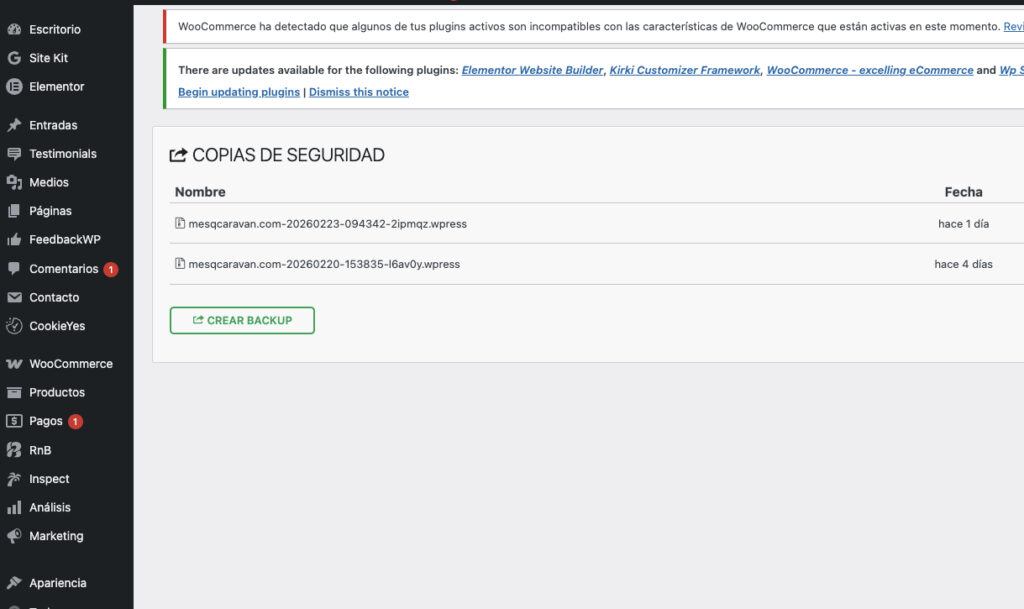
Website maintenance prices in Spain vary considerably with the type of service, the complexity of the site and the provider. Broadly, these are the usual ranges:
| Type of service | Indicative monthly price |
|---|---|
| Basic maintenance (updates only) | €15 – €50/month |
| Standard maintenance (updates + security + backups) | €50 – €100/month |
| Full maintenance (everything plus priority support) | €100 – €200/month |
| Premium maintenance (online stores, complex sites) | €200 – €400/month |
These prices are indicative and can vary with location and how tailored the service is. What matters is not looking at price alone, but at what each plan includes.
Transparent rates for website maintenance, design and SEO. No surprises, no small print.
Not every site needs the same level of maintenance. The type of site is one of the biggest factors in the final price.
A corporate or informational site: the simplest type. It usually has few pages, a contact form and static content. Maintenance focuses on updates, security and backups. Usual price: between €30 and €80 a month.
A blog or site with dynamic content: needs more attention because content changes often, there are more active plugins and the database grows constantly. Usual price: between €50 and €120 a month.
An online store (e-commerce): the most demanding. It involves catalogue management, payment gateways, stock, shipping, transaction security and legal compliance. Usual price: between €100 and €300 a month.
A bespoke site or one with advanced features: web applications, intranets or platforms with specific development. These need specialist technical maintenance. Usual price: from €150 a month upwards.
The technology your site is built on also determines the cost of maintaining it. Each CMS has its own quirks.
WordPress: the most widely used CMS in the world and, because of that popularity, the one with the most updates and vulnerabilities. The plugin ecosystem is enormous, which makes many features easy but also demands constant compatibility checks. A basic WordPress maintenance plan starts at around €30 a month, while a complete one runs between €60 and €150.
PrestaShop: built for e-commerce, it needs particular attention to payment gateways, transaction security and catalogue updates. Prices range from €70 to €180 a month.
Joomla: less widespread but with an active community. Its maintenance needs attention to extensions and version compatibility. Usual price: between €40 and €90 a month.
Custom development (Laravel, Node.js and so on): the most technical and expensive maintenance, since it needs specialist developers. From €100 to €300 a month or more.
Beyond the type of site and the CMS, other factors determine what you pay:
Before hiring, make sure you understand exactly what each quote does and does not include. Price differences are usually in the detail.
How you contract maintenance also affects the final price and how you manage it. These are the most common options:
A monthly fee: the most common. You pay a fixed monthly fee covering everything in the plan. It is predictable, convenient and guarantees ongoing attention. Ideal for most small businesses.
An annual fee: the same as monthly but paid in one go for the year. Many providers offer a 10-20% discount for annual payment. If your site is stable and does not need frequent changes, it can be the cheapest option.
Blocks of hours: you buy a package of hours (5 or 10, for example) and use them as needed. Useful if your site is simple and you only need occasional work. The hourly rate is usually between €30 and €60.
Pay per incident: you only pay when a problem arises. It looks cheapest, but emergencies carry a surcharge and without preventive maintenance problems are more frequent and more serious. Over time it usually costs more.
For most businesses, a monthly fee offers the best value because it combines prevention, support and peace of mind at a fixed cost.

Leaving a site without maintenance is like abandoning a shop that is still open to the public, with no cleaning and no inspections. The consequences come quickly:
Recovering an abandoned site always costs more than keeping it up to date. In serious cases it has to be rebuilt from scratch.
Sometimes problems build up without the owner noticing. These are the clearest signs your site needs immediate attention:
If you recognise two or more of these signs, do not leave it until tomorrow. The sooner you act, the smaller the damage and the repair cost.
Many site owners do not connect technical maintenance with Google rankings, but the link is direct and very important.
Loading speed: a ranking factor Google has confirmed. Maintenance that includes performance optimisation (caching, compression, database clean-up) directly improves your SEO.
HTTPS security: Google favours sites with an active SSL certificate and penalises those without one. Keeping it renewed and properly configured is part of maintenance.
Core Web Vitals: these user experience metrics (LCP, FID, CLS) are ranking factors. Professional maintenance monitors and optimises them.
404 errors and broken links: they harm both the user and Google’s crawling. Regular checks find and fix them.
Mobile compatibility: theme and plugin updates can affect your site’s mobile version. Without checks, you could lose Google’s mobile-first indexing.
A well-maintained site not only works better for the user, it has a better chance of ranking and holding those rankings over the long term.
With so many options on the market, choosing the right provider can be complicated. These criteria will help you decide well:
The lowest price is not always the best option. Poor maintenance can end up costing you far more in problems than you save on the fee.
If you have basic technical knowledge, you may consider maintaining your site yourself. Before deciding, weigh up the pros and cons of each option.
Doing it yourself can work if:
It is better to hire a professional if:
For most small businesses and freelancers, hiring a professional service is the more profitable option. The monthly cost is low compared with the risk of losing customers, data or rankings to poor maintenance.
Monthly website maintenance in Spain ranges from €15 to €400 depending on the type of site, the CMS and the services included. A simple corporate site can be maintained for €30-80/month, while a complex online store can exceed €200/month. The most important thing is to compare what each plan includes, not just the price.
It depends on the provider and the plan. Some maintenance services include hosting in the price, which simplifies management and can save money. Others focus solely on maintenance tasks and expect you to arrange hosting separately. Always ask before hiring.
Ideally, checks and updates at least once a week. Backups should be daily or weekly as a minimum. WordPress, plugin and theme updates should be applied as soon as they are available, always with a backup taken first. A professional service handles all of this automatically.
Yes, it is possible if you have basic technical knowledge and your site is simple. For sites with an online store, complex features or that generate income, though, it is worth hiring a professional. The risk of an error taking the site down or compromising its security is not worth the saving on the monthly fee.
Maintenance focuses on keeping the site in good shape: updates, security, speed and fixing errors. A redesign means changing the site’s look, structure or technology. They are complementary: good maintenance extends your site’s useful life, but there comes a point where a redesign is needed to keep up with current trends and needs.
Yes, directly. Google weighs loading speed, HTTPS security, the absence of errors and a good mobile experience. All of these depend on technical maintenance. A well-maintained page has a better chance of ranking and holding its positions than a neglected one.
Yes. Google’s AI Overviews favour sites that load fast, have no technical errors, keep their content current and meet security standards (SSL, no malware). A professional maintenance service ensures your site meets those requirements continuously, which improves the chances of Google choosing you as a source in its AI-generated answers.
Need a professional website maintenance service? Get in touch and we will advise you with no commitment.
How useful did you find this content?
Click a star to rate it!
Average rating!0/ 5. Vote count0
No votes yet! Be the first to rate this post.
How much Google Ads costs: what you pay Google, what an agency charges to manage it and what budget you need for it to pay off.

Web design for freelancers in Barcelona: which pages you need, what it costs and how to get a professional, affordable website that wins clients.

What AI search optimisation (GEO) is and how to get ChatGPT, Gemini and Perplexity to recommend your company in Barcelona.