Web design
Online Store Design: How to Build an Ecommerce Site That Sells from Day One
Online store design step by step: platform, structure, payments, shipping, legal requirements, SEO and price.
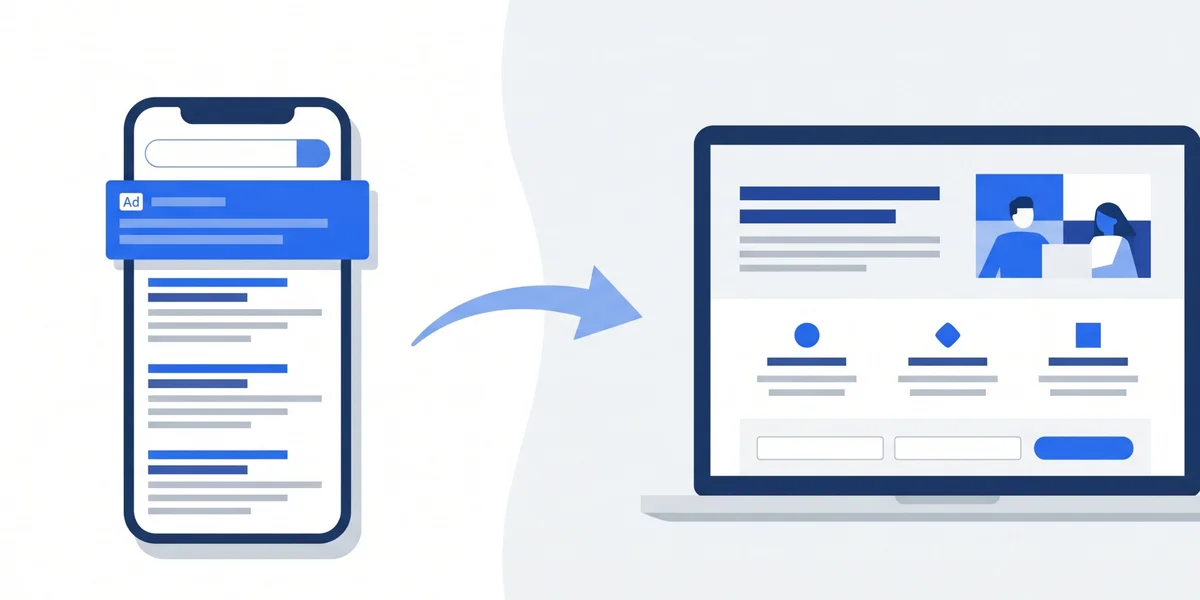
A Google Ads landing page is a page created only to receive people who click on an ad and turn that visit into a call, a form or a sale, with no menus or distractions. Any Google Ads management in Barcelona starts by reviewing it, because a good landing page lowers the cost per customer and also helps Google’s AI understand what your business offers.
A landing page, or destination page, is the page a person reaches after clicking on an ad. In a Google Ads campaign its only mission is to get that person to take one specific action: call, fill in a form, send a WhatsApp message or buy.
The difference from a corporate website is one of focus. The website explains the whole company: who you are, every service, the blog, past projects, the legal notice. It has menus and many possible paths, which is fine for someone looking for general information. But someone coming from an ad has searched for something very specific, for example a boiler repair in Sabadell, and does not want to browse: they want to see within five seconds that they are in the right place and how to get in touch.
That is why a Google Ads landing page usually has a single service, a single call to action and almost nothing to distract. Removing the menu, blog links or social icons may seem counterintuitive, but every exit you remove is one less chance for the visitor to leave without contacting you after you have paid for their click.
Many businesses send their ad traffic to the homepage, and it is not always a mistake. It depends on what you advertise and what is on that homepage.
The homepage can work if the business offers a single, very clear service, the page already explains it right at the top with a visible contact button, and the ad says the same as the homepage. In that case, creating another page adds little.
You need a dedicated landing page when:
A good way to decide is to put yourself in the customer’s shoes: if they had searched exactly for your ad, would the page they land on answer them without having to look for anything? If the answer is no, you need a landing page.
The landing pages that convert best share a very similar structure, designed to answer, in order, the questions of someone arriving from an ad:
The page does not need to be very long. What matters is that each block answers a real customer question and that the contact button appears several times. If a block does not help the decision, it should go.

Google Ads places great value on the ad and the landing page talking about the same thing. If someone searches for an emergency electrician in Terrassa, sees an ad saying exactly that and lands on a generic company page, it feels misleading and most people go back.
This consistency has a direct effect on money. Google calculates each keyword’s Quality Score taking into account, among other things, the landing page experience. The better it is, the cheaper each click tends to be and the better position the ad achieves with the same budget.
To keep things consistent:
You do not need one landing page per keyword. The sensible approach is one per service or distinct promise, grouping the searches that ask for the same thing.
A landing page can have a great design and still fail because getting in touch takes too much effort. Every extra step loses people along the way, and in Google Ads each of those people has cost you a click.
What works best for service businesses:
What happens after submitting also matters. A thank you page confirming that the message has arrived and explaining the next step reassures the customer and also makes conversion tracking easier. And someone has to handle those enquiries quickly: a perfect landing page is useless if nobody replies.
Most Google Ads clicks for local businesses come from mobile, often in a hurry. If the page is slow to load or looks poor on a small screen, the visitor leaves before reading anything, and the click has already been paid for.
The technical points with the most influence are:
Google measures all of this as part of the landing page experience, and it can be checked with free tools such as PageSpeed Insights. A speed improvement usually shows quickly in the conversion rate and, over time, in the cost per click.
There is no fixed number. The practical rule is to create one landing page for each different service or promise you advertise, not one per keyword.
Some examples to guide you:
Having several landing pages also allows A/B testing: two versions of the same page with a different headline, image or form, to see which converts better with real data.
Starting with a few well built pages is better than creating many half finished ones. When one works, it is duplicated and adapted for the next service.
Without tracking, a landing page is a gamble. To know whether it converts, every valuable action must be recorded as a conversion in Google Ads, and it is best to do this before launching the campaign.
What should be tracked on a service landing page:
With this data you can calculate the cost per enquiry of each campaign, which is the figure that really matters. If you want to see the process step by step, we explain how to set up conversion tracking with Google Tag Manager and Google Analytics 4.
Good tracking also lets Google’s automated bidding strategies learn which kind of click ends in a customer, something essential in today’s campaigns.
The price of a Google Ads landing page depends mainly on who builds it, the level of design and what it includes: copy, photos, forms, integrations and tracking.
As a guide, in the Spanish market:
You should also factor in tool costs if a paid external builder is used, and hosting if the landing page sits outside the main website.
More than the price of the page, what matters is what each customer costs you. A landing page that raises conversion from 2 to 4 per cent halves the cost per enquiry with the same ad budget, and that pays for it within a few weeks.
We analyse your ads, your landing page and your tracking, and tell you what to change to lower your cost per customer.
When a campaign gets clicks but no enquiries, the problem is almost always the landing page. These are the most common mistakes:
Fixing these points usually has more impact on results than increasing the budget. Before investing more in ads, make sure the page is making good use of the clicks already arriving.
Google is automating its campaigns more and more. In Performance Max campaigns and in the AI options of search campaigns, the system can generate copy from your website content and even choose which page to send each user to, if this is not restricted.
That makes landing page quality even more important:
In addition, a well explained landing page, with a clear service, area, process and frequently asked questions, helps the business to be better understood beyond the ads. That same content can strengthen the brand’s presence in organic search and in AI Overviews summaries when someone asks about that service in their area.
Yes, if your business offers a single service, the page explains the same thing as the ad right at the top and the contact details are visible without scrolling. If you offer several services, run promotions or your homepage is slow or long, a dedicated landing page will convert better and give you clearer data.
It depends heavily on the sector, the price of the service and the customer’s urgency, so comparing with general averages is of little use. What helps is measuring the conversion rate of your own landing page and improving it with specific changes, checking that the cost per enquiry falls month by month.
Both options work. WordPress has the advantage that the page stays on your website, with no extra fees and everything under your control. Specialised tools make A/B testing and creating variants faster, but they have a monthly cost. What matters is that it is fast, clear and properly tracked.
A simple landing page based on a template can be ready in a few days. A custom landing page, with original copy, photos and tracking set up, usually takes one to two weeks, especially if reviews, project images and business details need to be gathered.
Not directly, because AI Overviews are based on organic results and not on ads. But a clear, fast landing page with useful information about the service and the area strengthens your website content, and that content can help Google and other AI assistants understand and cite your business better.
In Google Ads you pay for every click, but what really counts is how many of those clicks become customers. The landing page is the piece that decides that difference: a message consistent with the ad, easy contact, a fast mobile page and reliable tracking can halve the cost per customer without touching the budget.
Before increasing your ad spend, review the page you send the traffic to. At JRC Web we build and optimise landing pages for Google Ads campaigns for businesses in Barcelona and across Catalonia, with conversion tracking set up from day one so you know what works and what does not.
How useful did you find this content?
Click a star to rate it!
Average rating!0/ 5. Vote count0
No votes yet! Be the first to rate this post.
Online store design step by step: platform, structure, payments, shipping, legal requirements, SEO and price.
What a monthly SEO service includes, which deliverables you should receive every month, what it costs and the signs that it is not working.

What SEO for lawyers includes, what it costs, how long it takes and how to win clients from Google Maps, your firm’s website and AI.