Digital advertising
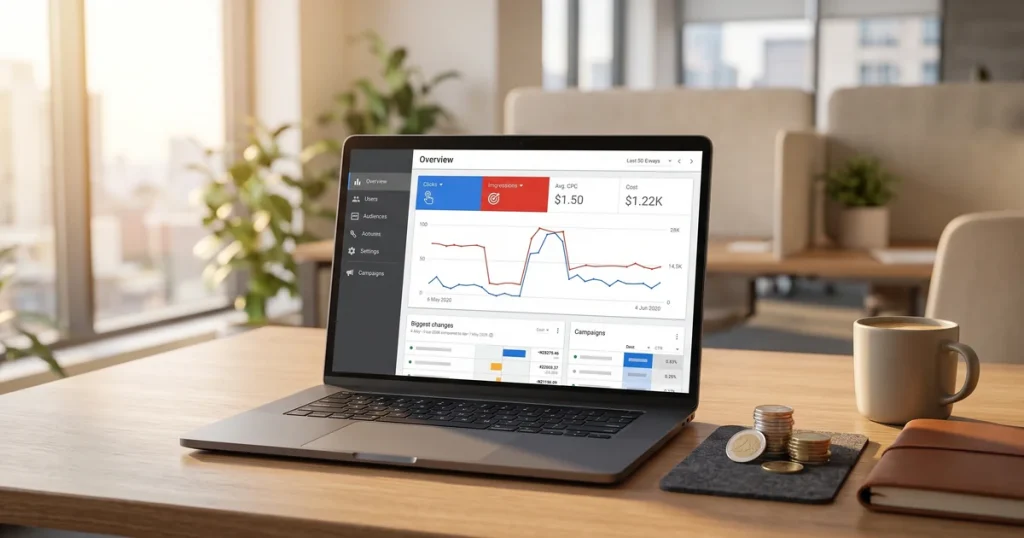
How much Google Ads costs: spend, management fees and a realistic budget
How much Google Ads costs: what you pay Google, what an agency charges to manage it and what budget you need for it to pay off.


Ranking first on Google Maps is one of the most direct ways to win local customers. When someone searches for a service nearby, Google shows the local pack with three results: if you are in it, you get calls and visits. If you are not, your competitors do.
Ranking on Google Maps depends on specific factors such as your Google Business Profile, reviews, local citations and NAP consistency. Those same factors increasingly influence Google’s AI Overviews, which favour local businesses with complete listings and a good online reputation.
In this guide we explain step by step how to get your business into the Google Maps top 3. Practical advice from our SEO agency in Barcelona, where we handle local SEO for businesses across Catalonia.
Google orders the local pack around three pillars: relevance (how well your listing matches the search), distance (how close you are to the point of search) and prominence (authority and online popularity signals).
The key is understanding what you can actually influence:
Relevance: the right categories, services and descriptions built around intent (people do not search for “business X”, they search for “a solution to problem Y”).
Prominence: reviews (volume, quality, pace), consistent citations and NAP, links and brand signals (brand searches, mentions).
Distance: you do not control it, but you can maximise coverage with good categories, city and service pages and steady activity.
In our own case (a web design agency that also does SEO), when we lined up category + listing + service pages, clicks on “Visit site” went up and the profile started picking up far more impressions for variations (“web design [city]”, “marketing agency [neighbourhood]”). That fine-tuning is usually what pushes you from the top 5 to the top 3.
Yes: categories, services and products, copy, images, posts, review replies, NAP, citations, local links, website content, UTMs and tracking.
No: the user’s location or the exact radius Google uses. That is why we work on the rest prominence to win searches even some distance from the premises.
Once the listing is claimed and verified, work through this checklist:
Business name: exactly your real name (no keywords bolted on).
Primary category: whichever best represents the service that makes you money (for agencies this is usually “Web designer” o “Marketing agency”; choose according to your priority keyword).
Secondary categories: 2-4 relevant ones (for example “Design service”, “Marketing consultant”, “Software company” if it applies).
Description (750-1000 characters): first line with your value proposition plus the city; then benefits, services and social proof.
Services and products: create one item per intent (“Corporate web design”, “Online store”, “WordPress maintenance”, “Local SEO”).
Photos: the front of the building, the interior, the team, projects (refresh them monthly).
Opening hours: realistic, including public holidays.
Attributes and service area (if you do not serve customers at your premises).
Website URL with UTMs (utm_source=google&utm_medium=gbp&utm_campaign=profile).
Messaging and Call switched on if you can answer.
How we do it: we list our services as “products” with results-focused descriptions (“Corporate website in [city] ready in 15 days, SEO-friendly design and support”) and a clear call to action. That increases engagement with the listing and matches high-intent searches better.
Primary (choose one):
Web designer if your target keyword is “web design [city]”.
Marketing agency if you are prioritising “marketing agency [city]”.
Secondary (choose 2-4): “Design service”, “Marketing consultant”, “Graphic designer”, “Internet service provider” (only if it applies), “Software company” (if you develop).
Tip: if you sell SEO, avoid setting “SEO consultant” as your primary category when your core business is web design: you will lose relevance for “web design”.
Item name = the exact intent: “Web design in [city]”, “Shopify online store”, “Local SEO for small businesses”.
Description: 2-3 benefits + delivery time + social proof (“120+ websites launched”).
Image: a clean mockup of the service or a real example (no sensitive data).
Price: a fixed “from €X” if it helps filter leads.
Reviews are the cleanest shortcut to prominence. What counts:
Volume: set a quarterly target (for example +12 reviews a quarter).
Pace: a steady trickle beats spikes (do not ask for 20 in one day).
Quality: reviews with natural keywords (the customer mentions “web design”, “online store”, “local SEO”) and detail about the job.
Replies: always, within 24-72 hours, using words that reinforce your service.
Scripts we use to ask for reviews (copy, paste and adapt):
After delivering a website:
“Thanks for trusting us! If you are happy with how the site turned out and with the process, could you leave us a review here? [short URL] Your opinion helps other businesses in [city] find a web design team they can rely on.”
After an SEO result:
“Delighted that visits and enquiries are going up. If you have a moment, leave a review explaining the problem you had and what worked. Here is the link: [URL]. Thank you!”
In our own case, when we combine detailed reviews with a reply that spells out the solution delivered (“a fast website in 15 days, a safe migration and ongoing support”), we see clear jumps in average ranking and more clicks on ‘Call’.
Always ask after a milestone (delivery, first sale, qualified lead).
Make it personal (mention the project).
Give them the direct link and suggest what to say (problem → solution → result).

A living listing earns points. Practical ideas:
Posts: one a week. Alternate “Offer”, “What’s new”, “Event” and “Product”.
The editorial calendar we use:
Week 1: “Case study” (before and after).
Week 2: “New guide” or news after a Google update (we already write the news, so we link to it from the post).
Week 3: “Service of the month” (an online store, for example).
Week 4: “Quick tip” (a five-step checklist).
Photos: upload 3-5 a month (team, project, office).
Q&A: add your own questions with useful answers (“Do you work to a fixed price?” “Yes, corporate websites from €X with set timescales…”).
What we see at our agency: every time we publish a GBP post linking to a relevant news item (changes to reviews or to the local algorithm, say), the profile’s engagement improves and brand searches rise for 3-7 days.
The website underpins both prominence and relevance:
Consistent NAP: name, address and phone identical on the site, in the footer and in directories.
Architecture: one page per service (web design, online store, local SEO…) and, if you compete in several areas, pages per city or neighbourhood (“Web design in [city/neighbourhood]”).
Local on-page: an H1 with service plus city, visible contact details, an embedded map, local testimonials, LocalBusiness and FAQ schema you can link to.
Internal linking: from the home page and the blog to services and cities.
Speed and UX: CLS and LCP in the green; a visible form and a sticky call to action.
How we apply it: when we publish news and guides, we link internally to services and cities with intent-based anchor text (“web design in [city]”). That, together with team photos and case studies, has given us spikes in clicks from the profile during campaign periods.
/ (Home) → propuesta clara and NAP.
/diseno-web/ (servicio) → casos, proceso, FAQ and CTA.
/tienda-online/ • /seo-local/
/[ciudad]/diseno-web/ (landings locales con prueba social local).
/blog/ (guías + noticias post-update de Google, con schema Article).
To reinforce prominence:
A directory for your industry (Clutch, Sortlist if relevant, local chambers of commerce).
General directories: Yelp, Foursquare, Yellow Pages and so on, always with an identical NAP.
Local media and associations: useful mentions and press notes (do not go in for low-quality link building).
Sponsorships and events: sponsor pages with a link and a mention.
Practical tip: keep a sheet with your master NAP and use that template for every listing. Review it every 6-12 months.
The metrics that drive decisions:
Searches: branded vs unbranded (you want the unbranded share to grow).
Actions: website visits, calls, direction requests, messages.
Photos: how many you have and their views compared with competitors.
Reviews: volume and average, and above all pace.
Starting targets (90 days):
+30-50% in unbranded impressions for your main keyword.
10-20 new reviews (from a standing start, at least one a week after each delivery).
4-8 posts a month with a CTR above 1.5% to the website.
Reaching the top 3 in the Local Finder for 1-2 core terms in your area.
In our own case, when we turned on UTMs in the listing’s URL, we could see which blog post brought the most enquiries from GBP (usually the one explaining a Google update with local examples).
Calls: if your offer is B2B, the “Visit site” button usually performs better than “Call”. Even so, 2-5 calls a week per 1,000 unbranded impressions is a reasonable starting point.
Directions: relevant if you have an office open to the public.
Clicks to the site: aim for a click rate of 2-5% on commercial-intent searches.
A name with keywords added → risk of suspension. Keep your real name.
The wrong primary category → review it against your priority intent.
Empty services and products → you lose semantic relevance. Fill them in around intent.
Asking for 20 reviews in one day → a suspicious pace. Keep it steady.
Sporadic posts → set a calendar (remember: we post after every Google update and it shows).
Inconsistent NAP → one standard, audited twice a year.
No city or service pages → build the structure suggested above.
10 “seed” customers → 10 guided reviews in 30 days.
6 posts (case studies plus a launch offer).
A service + city page ready from day one.
10-15 basic citations with a perfect NAP.
Review your primary category and service names (match them to intent).
2 reviews a week for 6 weeks (pace beats volume).
One case study in Posts plus a linked blog post.
Clean up your NAP and earn 2-3 genuine local links.
A new /[city]/web-design/ landing page with local testimonials.
Geotagged GBP posts and photos of the team in that area.
Local citations plus collaboration with organisations in the city.
Brand campaigns (brand ads and PR) to drive brand searches.
It depends on your starting point and the local competition. With a well-optimised Google Business Profile, the first improvements can show within 2-4 weeks. Holding a stable place in the three-result local pack usually takes 2-6 months of steady work on reviews, citations and the listing itself.
Yes, but with limits. Google prioritises how close the business is to the user’s point of search. You can widen your visibility with service pages by area on your website, citations in directories for those places and reviews from customers in those areas. Even so, competing outside your physical location will always be harder than ranking in your immediate area.
Yes, although the impact is indirect. GBP posts create activity signals Google views positively: they show the business is active and up to date. They can also include relevant keywords and links to your site. They are not a direct ranking factor, but they add to the set of signals Google weighs when deciding your position in Maps.
Reviews carry more direct weight in local Google Maps rankings. Volume, frequency, average score and owner replies are all key factors. Links matter more for your website’s general organic rankings, which in turn reinforce your presence in Maps. Ideally you work on both: steady reviews for Maps and quality links for your site.
Always reply, professionally and without getting into an argument. Thank them for the feedback, acknowledge the problem if it is legitimate and offer a solution or invite them to contact you directly. Replies to negative reviews show Google and other users that you care about your reputation. Never leave a negative review unanswered.
Yes. Google’s AI Overviews use Google Business Profile information to answer local queries. A business with a complete listing, good reviews, up-to-date photos and consistent data (NAP) has a better chance of being cited in AI-generated answers when someone searches for services in your area.
Click to rate this post!
How useful did you find this content?
Click a star to rate it!
Average rating!0/ 5. Vote count0
No votes yet! Be the first to rate this post.
How much Google Ads costs: what you pay Google, what an agency charges to manage it and what budget you need for it to pay off.
Web design for freelancers in Barcelona: which pages you need, what it costs and how to get a professional, affordable website that wins clients.

What AI search optimisation (GEO) is and how to get ChatGPT, Gemini and Perplexity to recommend your company in Barcelona.