Digital advertising
How much Google Ads costs: spend, management fees and a realistic budget
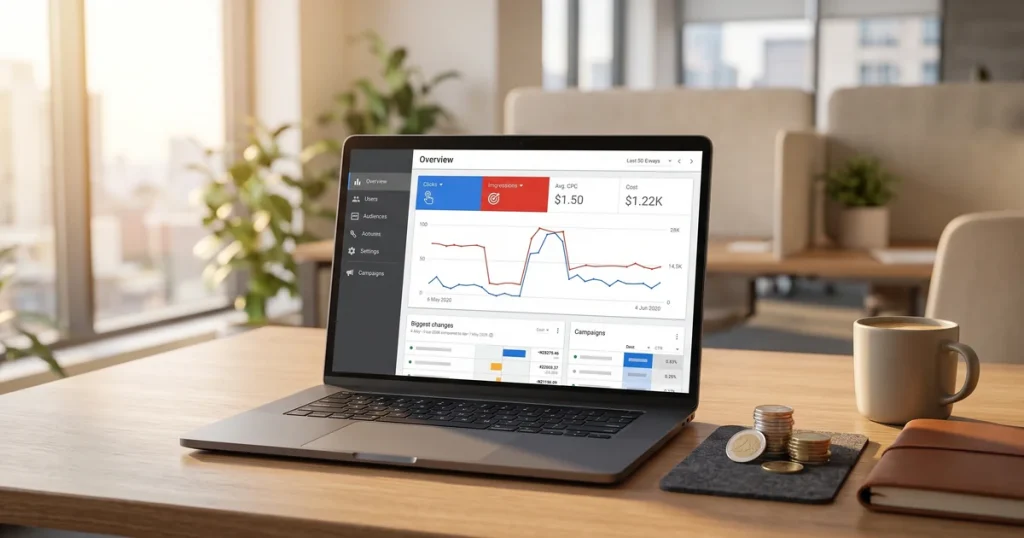
How much Google Ads costs: what you pay Google, what an agency charges to manage it and what budget you need for it to pay off.


Última revisión: mayo 2026
If your site is missing from Google or has lost positions, you need an SEO audit. There is no other way to find out what is going wrong and how to fix it.
As an SEO agency we have spent more than 20 years auditing websites of every kind, from small corporate sites to e-commerce stores with thousands of products. And we always start the same way: with a complete audit that shows the real state of the project.
In this guide we explain step by step how to run a professional SEO audit, with the same tools and methodology we use at our SEO agency in Barcelona. By the end you will know exactly what to check, in what order and how to prioritise the fixes.
Let’s get straight to it.
A SEO audit is a thorough technical analysis evaluating every factor that affects a site’s rankings in Google. It is like taking your car in for a full service: every component is examined to catch problems before they become serious breakdowns.
The goal is clear: identify errors and opportunities and set out a prioritised action plan. Without an audit, any SEO strategy is a shot in the dark.
When should you run an SEO audit?
In our experience, 90% of the sites we audit have critical errors nobody had spotted. Errors that, once fixed, produce significant improvements within weeks.
The first thing is to confirm Google can see your site. If pages are not indexed, they do not exist as far as the search engine is concerned.
How to do it:
The errors we find most often:
Tools: Google Search Console (free) and Screaming Frog for a full crawl. Find alternatives in our guide to free SEO tools for auditing your website.
The robots.txt file tells Google what it can and cannot crawl. A mistake here can block entire sections of your site.
robots.txt checks:
XML sitemap checks:
A well-configured sitemap helps Google discover and prioritise your most important pages. On large sites it is the difference between indexing 500 pages and 5,000.
Screaming Frog is the essential tool for any technical audit. It crawls your site the way Google does and surfaces every technical error at once.
What to analyse with Screaming Frog:
Recommended setup:
The free version crawls up to 500 URLs. For bigger sites, the annual licence (around €200) is one of the best investments you can make. We use it daily alongside other complementary SEO tools .

Site architecture determines how authority flows between your pages and how easily users and bots find your content.
The principles of good architecture:
Common architecture mistakes:
Well-designed architecture improves not only SEO but also user experience and conversions. At our SEO agency in Barcelona we always start projects by reviewing and optimising the structure before anything else.
On-Page SEO are all the elements you can optimise within each page. They are the foundation of any ranking strategy.
The critical elements to check:
Title tags:
Meta descriptions:
Heading structure (H1-H6):
Content:
To analyse on-page properly you first need good keyword research identifying which terms to target on each page.
Google has used loading speed as a ranking factor since 2010, and since 2021 the Core Web Vitals have been official ranking signals.
The 3 Core Web Vitals metrics:
Tools for measuring:
Common problems that hurt speed:
A slow site does not just rank worse: it also has higher bounce rates and lower conversions. Every second shaved off load time can increase conversions by 7%.
Since 2019 Google has used mobile-first indexing: it crawls and indexes the mobile version of your site. If your mobile experience is poor, so is your SEO.
What to verify:
Tools for checking:
More than 60% of web traffic now comes from phones. A site that does not work well on mobile is losing more than half its potential audience.

Internal linking is one of the most underrated SEO techniques. Done well, it can move pages from page 5 to page 1 without building a single external backlink.
What to check in internal linking:
An internal linking strategy:
On every page of your site you should ask: where do I want the visitor to go next? That is the basis of good internal linking.
Backlinks (links from other sites to yours) are still one of the most important ranking factors. But not all backlinks are equal: some can harm you.
The metrics to analyse:
Warning signs in a backlink profile:
Tools: Ahrefs, Semrush and Majestic for full analysis. Google Search Console shows you links, but without quality metrics.
If you find toxic links, you can use Google’s Disavow Tool, though use it carefully and only when it is genuinely needed.
If your business has premises or serves customers in specific areas, local SEO is fundamental. “Near me” searches have grown more than 500% in recent years.
The local SEO elements to audit:
Common local SEO mistakes:
If you want to go deeper into this, we recommend our guide on what local SEO is and how to implement it properly.
You do not need every tool on the market, just the right ones. This is our selection for each type of audit:
The essential free tools:
Recommended paid tools:
Our ideal combination:
At our SEO agency we use Screaming Frog plus Ahrefs as our main tools, backed by Search Console and Analytics. That combination covers 95% of what any audit needs.
You may also want to review the SEO trends for 2026 to understand where the field is heading and what to prioritise in your audits.
For quick reference, here is the summary of the 10 steps:
Do not try to fix everything at once. Prioritise by impact: first the critical errors blocking indexing, then the technical ones, then on-page, and finally the refinements.
A complete SEO audit gives you the map of the territory. It shows where you stand, what problems you have and where to start. The real work comes afterwards: implementing the fixes, measuring results and keeping on optimising.
If you have read this far, you have everything you need to run your own audit. If you would rather leave it to professionals, our SEO agency in Barcelona has spent more than 20 years helping businesses improve their visibility in Google.
Questions about any of the steps? Need a hand with your audit? Get in touch and we will help you out.
An SEO audit is a complete analysis of how well a site is optimised for search engines. It finds technical errors, content problems and opportunities, and sets out a prioritised action plan for improving your rankings in Google.
A full SEO audit every 6-12 months is recommended as preventive maintenance. It is also essential before starting any SEO strategy, after a migration or redesign, or whenever organic traffic falls with no obvious explanation.
The price varies with the complexity of the site and the depth of the analysis. It can range from €300 for small sites to more than €2,000 for large e-commerce stores or sites with complex problems. What matters is that it includes a detailed report with clear priorities.
The essentials are Google Search Console (free), Screaming Frog for technical crawling, and backlink analysis tools such as Ahrefs or Semrush. For speed, PageSpeed Insights and GTmetrix. Combining several tools gives the complete picture.
Yes. With the right tools and a methodology like the one in this guide, you can run a basic audit. For spotting complex problems or interpreting the data correctly, though, a professional’s experience makes the difference. Plenty of errors go unnoticed by untrained eyes.
Click to rate this post!
How useful did you find this content?
Click a star to rate it!
Average rating!0/ 5. Vote count0
No votes yet! Be the first to rate this post.
How much Google Ads costs: what you pay Google, what an agency charges to manage it and what budget you need for it to pay off.
Web design for freelancers in Barcelona: which pages you need, what it costs and how to get a professional, affordable website that wins clients.

What AI search optimisation (GEO) is and how to get ChatGPT, Gemini and Perplexity to recommend your company in Barcelona.